How do I setup and enable or disable the other interests feature of the new arrivals sign up?
Step One: Select the proper tool
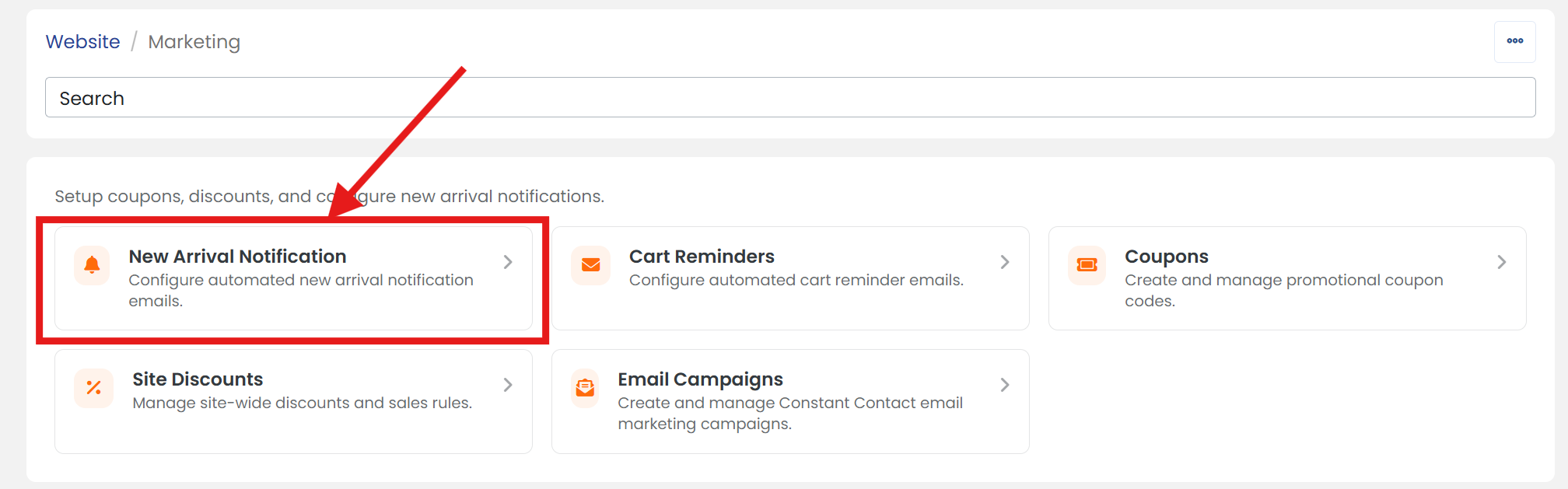
Click on 'Marketing' link under the 'Website' heading of the Control Panel menu.
Step Two: Select notification tool
Click on 'New Arrival Notification' section to open its settings page.
Step Three: Open Advanced Tab
Click on the 'ADVANCED' tab to open advanced setting options.
Step Four: Schedule next email batch
Next to 'Enable "Other" Option' select 'YES' to enable or 'NO' to disable.
 WARNING: When the "other" field option is enabled, your customers are given a text field that allows them to specify other collecting interests. Text submitted to this field is not searched or matched in any way.
Step Five: Configure "Other" field
If you selected 'Yes' to enable the 'Other' option, Next to 'Other Field Label' name your 'Other Field' how you'd like it to be presented to customers.
Step Six: Don't forget to save
When you are finished, scroll up/down and click the 'SAVE' button.