How do I change an item's price?
Step One: Select the proper tool
Click on 'Manage Inventory' under the 'Inventory' heading in the Control Panel menu.
Step Two: Find the item you wish to edit
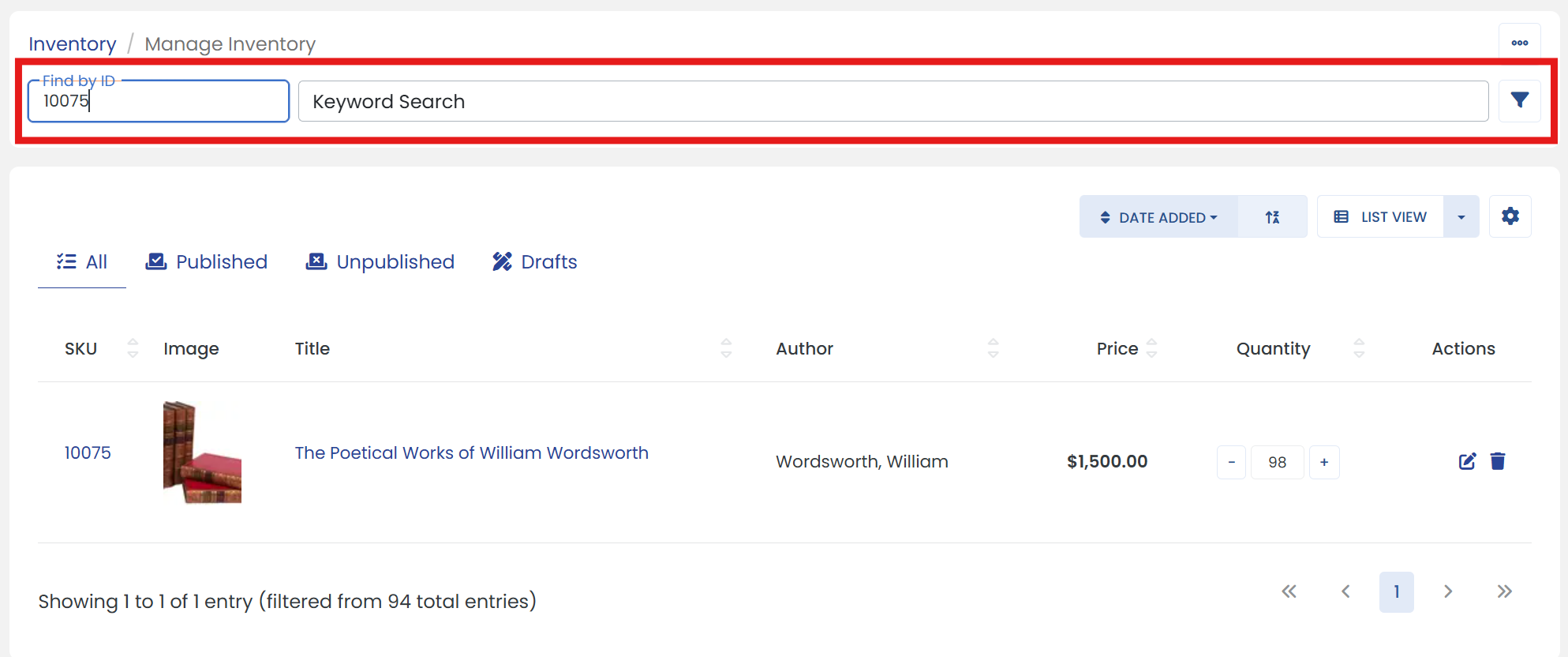
Use 'Find by ID' or 'Keyword Search' textbox to find the Item. (Or you can use 'filter' icon next to keyword search textbox for 'Advanced Search')
Step Three: Click the edit button
Click the 'Edit' button at the end of your item to go to it's settings page.
Step Four: Make the updates
In the right column, edit your item's price in the 'Price' textbox.
Step Five: Don't forget to save
When you are finished editing your item's price, be sure to click the 'SAVE' button to finalize.