How do I make a category for my Website only?
Step One: Select the proper tool
Click on the 'Categories' link under the 'Inventory' heading in the Control Panel menu.
Step Two: Edit a Category
From the existing categories list, find the category you'd like to make 'Website Only' and click the 'Edit' icon in the Actions column on the right.
Step Three: Make updates
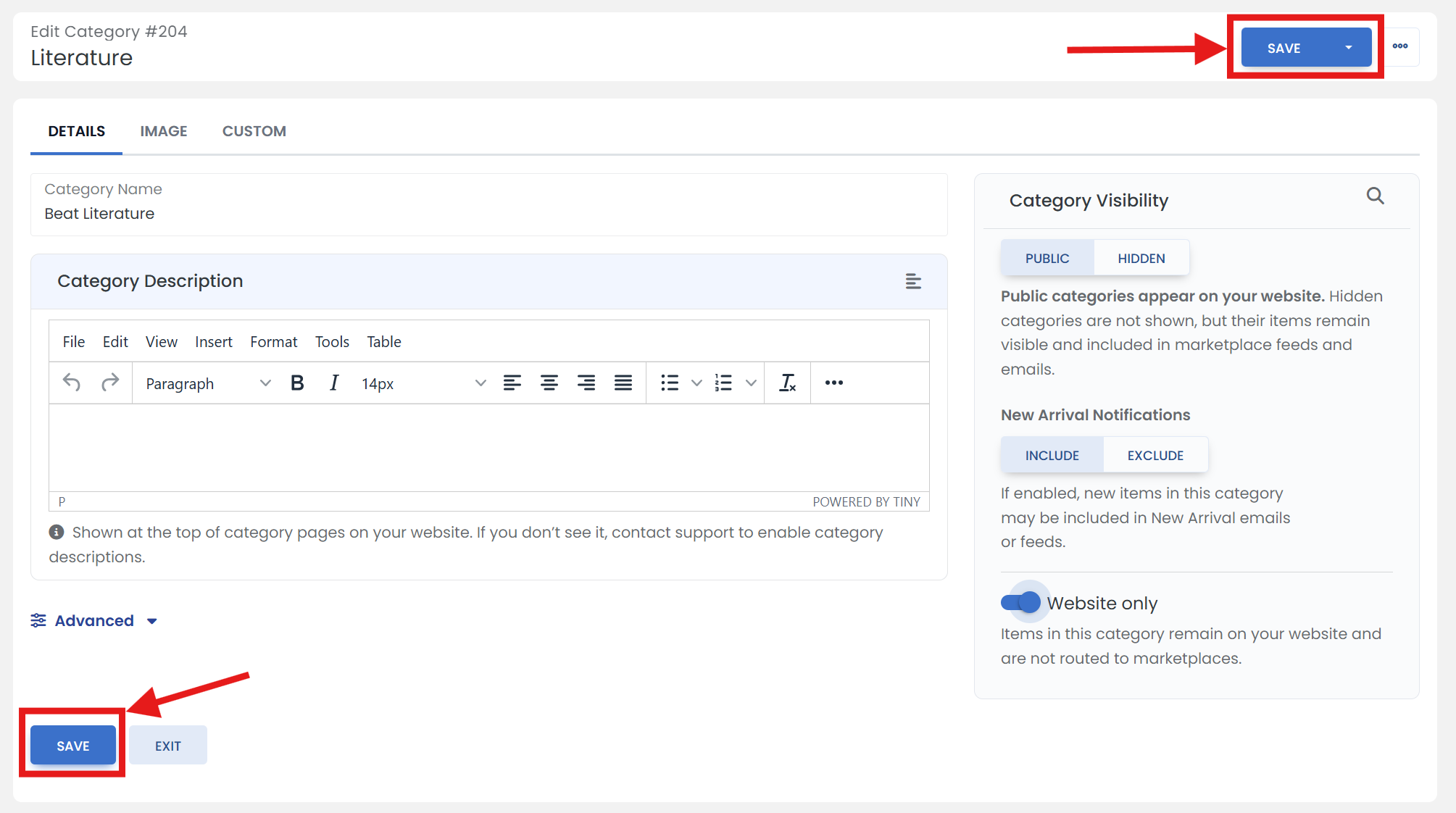
On the 'DETAILS' tab, in the right side section, turn on the toggle switch for 'Website Only' label.
Step Four: Don't forget to save
When you are finished, scroll up/down & click the 'SAVE' button.