How do I discount an item?
Step One: Select the proper tool
Click the 'Manage Inventory' link under the 'Inventory' heading in the control panel menu.
Step Two: Find the item you wish to edit
Use 'Find by ID' or 'Keyword Search' textbox to find the Item. (Or you can use 'filter' icon next to keyword search textbox for 'Advanced Search')
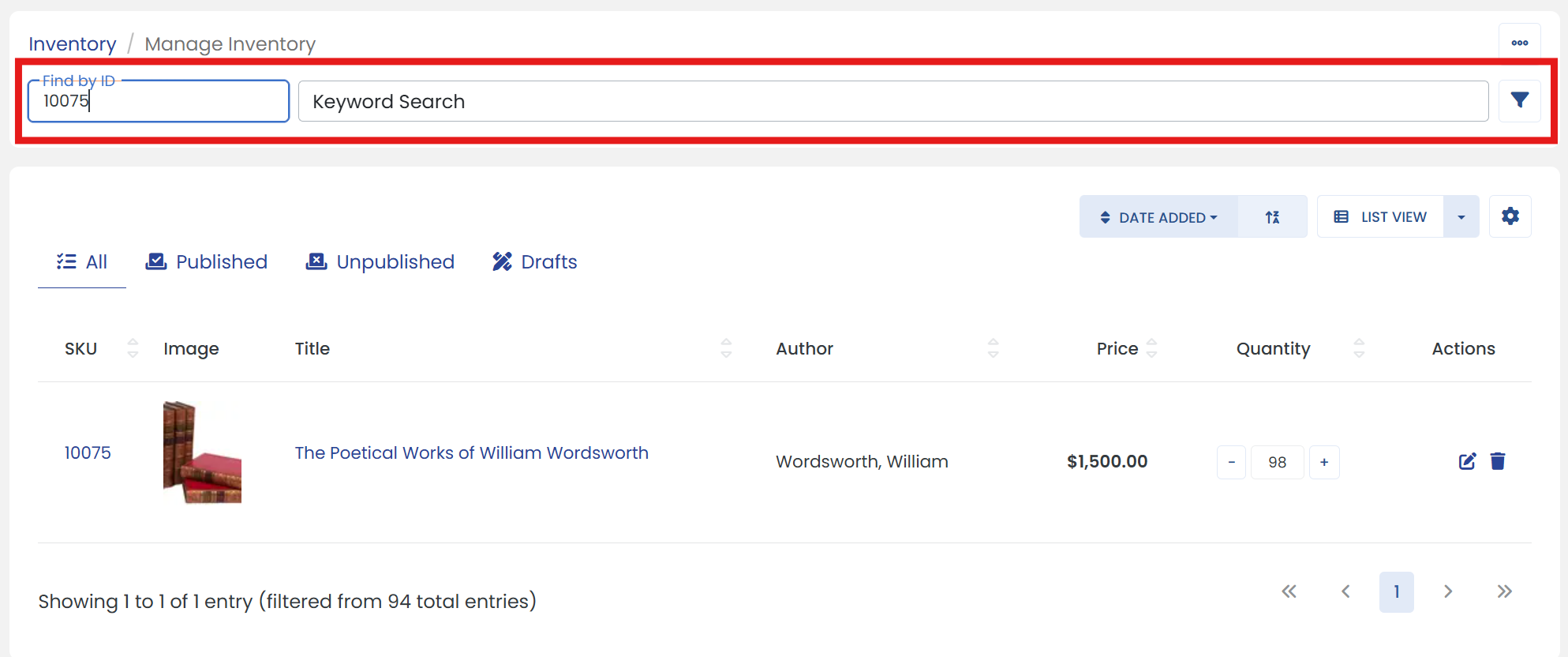
Step Three: Click the edit icon
Click the 'Edit' icon at the end of your item to go to it's settings page.
Step Four: Make updates
On the settings page, look for the 'Discount' dropdown menu and keep the toggle switch on for 'Allow Discount' label.
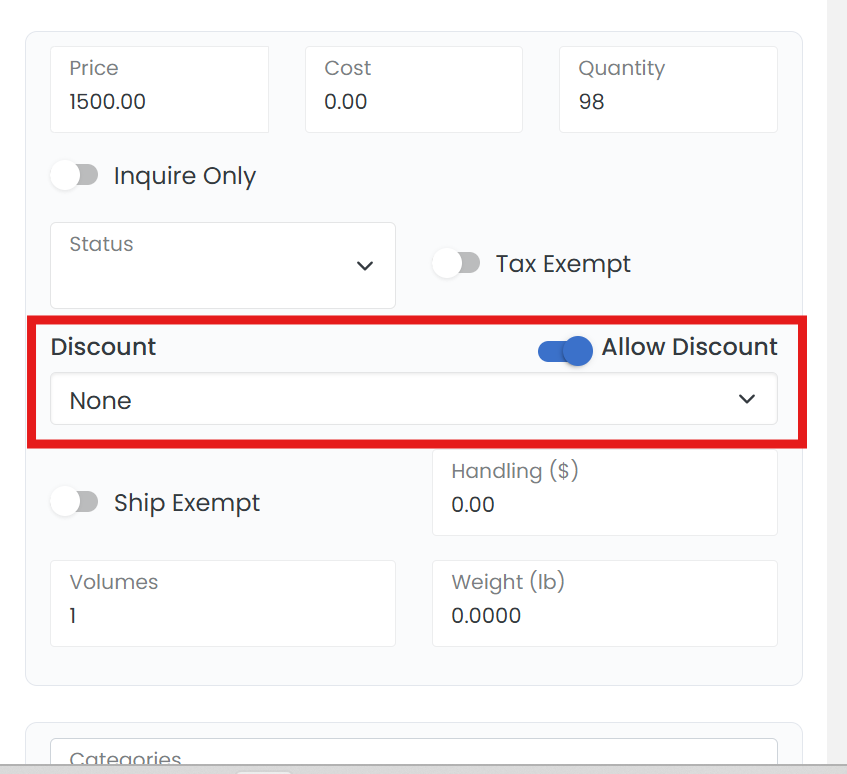
Step Five: Configure the discount amount
Specify the amount for 'Discount' using the dropdown menu. Then, click the 'SAVE' button.
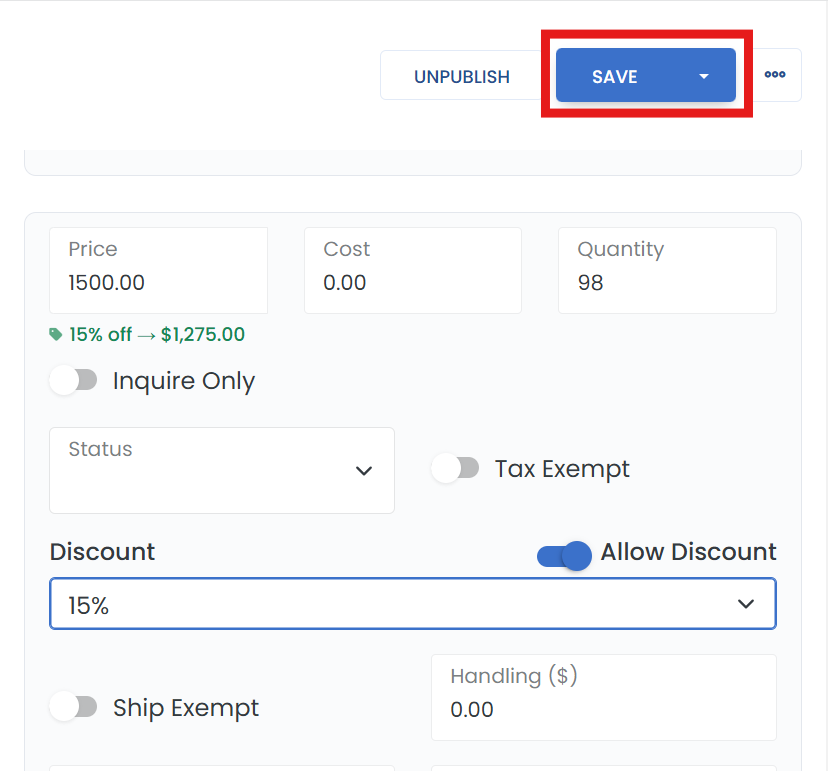
To remove the discount, return to this screen and change the discount amount back to 'None' from the 'Discount' dropdown menu.