How do I edit an item's Amazon properties?
Step One: Select the proper tool
Click on the 'Manage Inventory' link under the 'Inventory' heading in the Control Panel menu.
Step Two: Search for an item
Search for your item by it's 'Item ID' (or Author / Title by clicking on filter icon).
Or click on the filter icon to open advanced search filters.
It opens a sliding window where you can search an item by Author/Title, etc.
Step Three: Open an item for Editing
Click the 'Edit' icon at the end of your item.
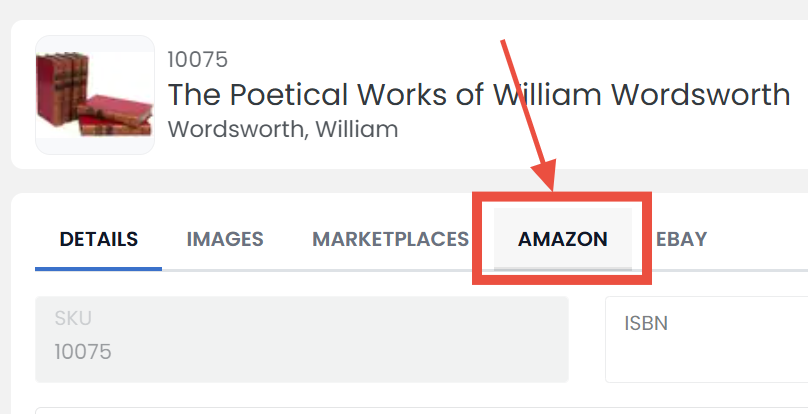
Step Four: Open the Amazon Tab
Click on the 'AMAZON' tab to open Amazon Properties window.
Step Five: Make updates
On this page you can edit an individual item's Amazon properties. You can update your Pricing, Best Offer, Category & Listing properties from Amazon. As you scroll down you can edit your item's Shipping, Return & Payment Policies as well as your Package, Stock & 'Quantity Per Buyer' properties.
Step Six: Don't forget to save
When you are finished editing your item's Amazon properties, be sure to click the 'SAVE' button at the bottom to finalize.