How do I view the time of my last new arrival email and set the next one?
Step One: Select the proper tool
Click on 'Marketing' link under the 'Website' heading of the Control Panel menu.
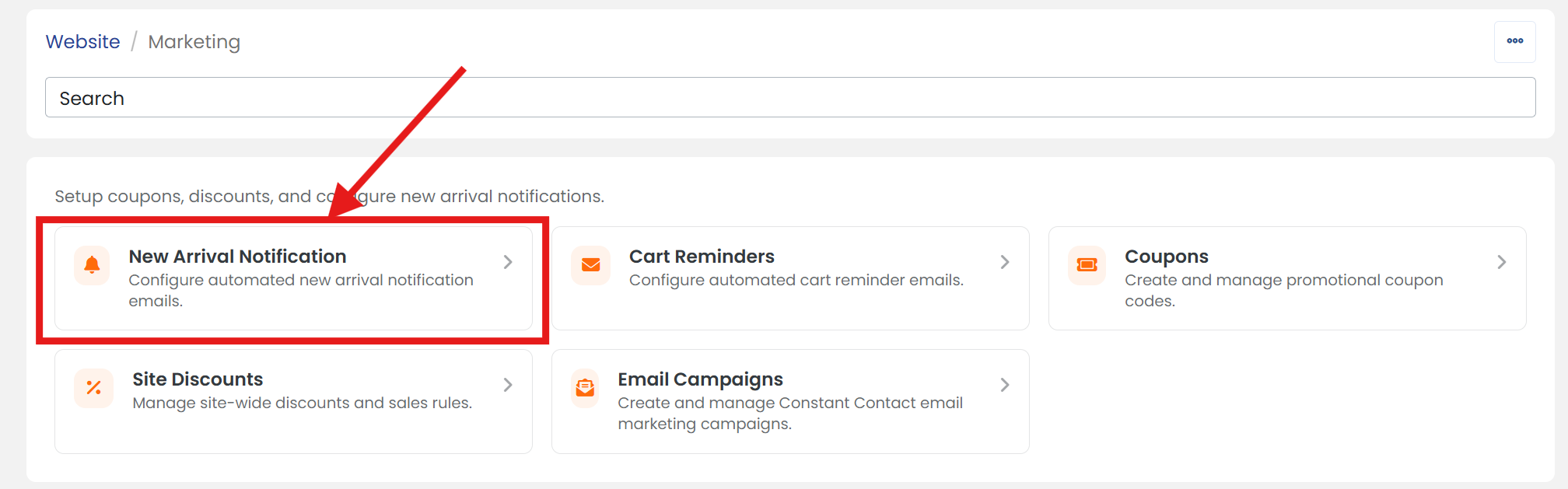
Step Two: Select new arrival notification tool
Click on the 'New Arrival Notification' section to open its settings page.
Step Three: View last sent date
Next to 'Last Sent' is the date & time of the last 'New Arrival' automatic email sent.
Step Four: Schedule next email batch
Next to 'Next Send', enter the date and time or click on the calendar icon to select the date and time you'd like to start sending the next batch of 'New Arrival' emails.

WARNING: CDT (yyyy-mm-dd hh:mm:ss)
Step Five: Don't forget to save
When you are finished, scroll up/down to click the 'SAVE' button.